HR Dashboard — configuration guide
Configure dashboard access, organizational scope, source data and chart activation separately. The HR Dashboard documented here is the shared legacy manager/HR dashboard, displayed as Tableau de bord du manager in PS Testing 2026. Use the functional guide for daily operation and the technical guide for implementation details.
Unless explicitly marked otherwise, configuration claims below are Verified in code. Values described as defaults are repository seed values, not a live inventory of a customer's effective configuration.
Access and configuration ownership
Observed in application: inspection stayed on PS Testing 2026 as Jim Carter. Jim's Espace manager → Analytique → Tableaux de bord showed four tabs and offered Tous les Collaborateurs. His user-menu Configuration entry returned You are not authorized to access this resource. Company-wide dashboard access does not imply permission to configure the company.
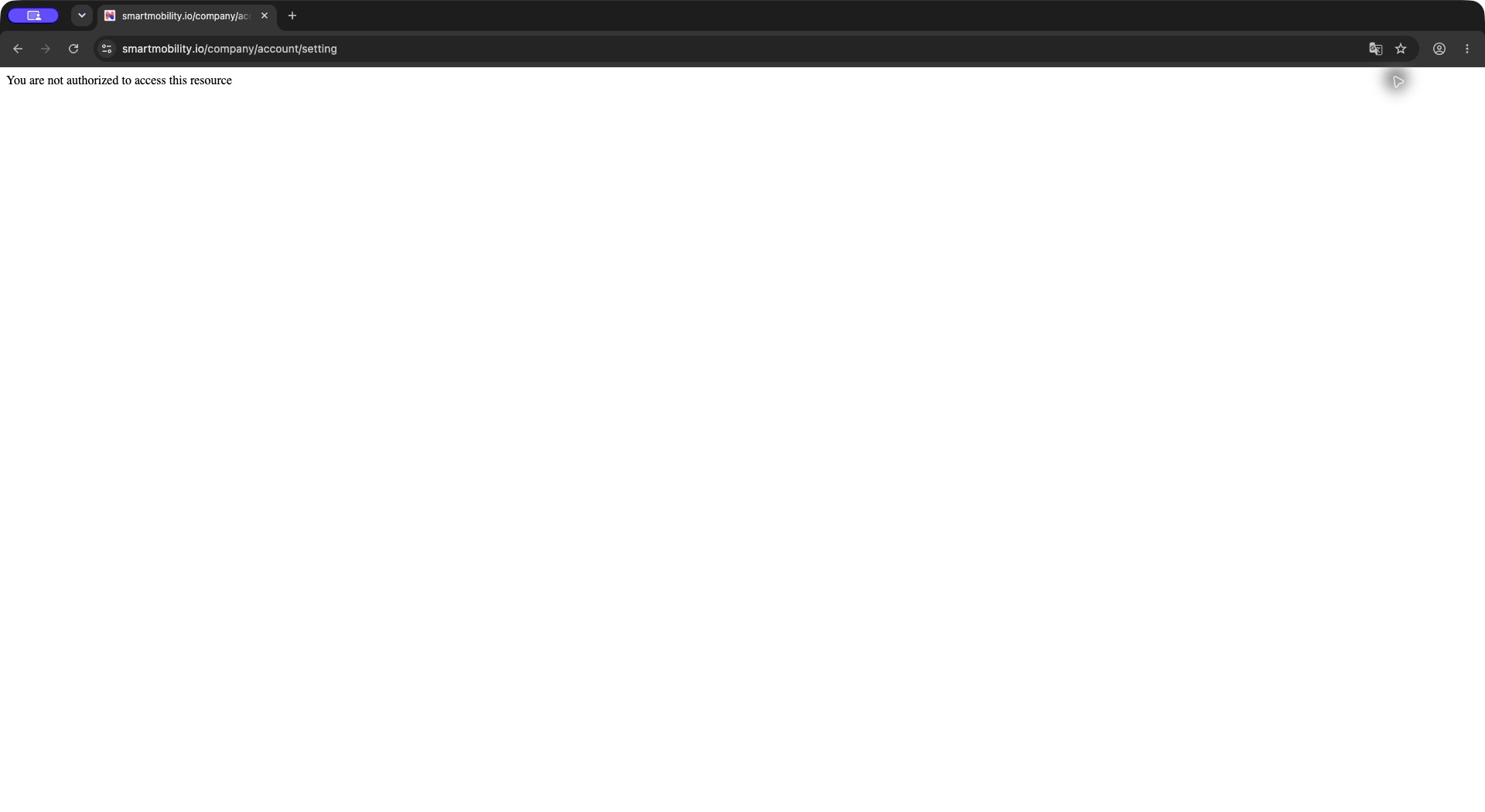
The settings route returns an authorization denial, not the dashboard configuration. Return to the manager navigation and contact an authorized administrator; no activation switches are shown in this image.
Have the authorized company/platform owner perform activation in the available module configuration surface. Keep the dashboard user's account active when validating its results; changing to another account can conceal the access problem you are investigating. See Roles and permissions for the separate legacy and redesigned permission layers.
1. Prepare access and population
- Identify the intended audience: managers of a hierarchy, HR with a broader population, or both.
- Confirm the account has a company/manager attachment and the correct organization setting.
- Review its legacy permission profile. The
manager_dashboardright is enabled in the repository presets for administrator HR, HRBP and manager; this is not proof that a live account uses those presets. - Confirm menu access and the dashboard tabs required for that audience.
- Review hierarchy attachments and visibility rules. Broader rights such as
all_collaboratorsandall_managers_filteraffect scope behavior and should be reviewed independently of dashboard activation. - Validate with an intended user and known in-scope/out-of-scope employees before rollout.
Access nuance: the main page and tab handlers accept feature activation or the legacy dashboard permission fallback. The list of displayed tabs still checks their individual feature switches. Enabling only a permission is therefore not a guarantee of visible tabs or enabled charts. The perimeter modal and interview detail have their own checks; see the technical contract.
2. Activate the dashboard tabs
Administrator procedure — Verified in code, not exercised live: open the authorized module configuration, locate Dashboards, review the Management Platform parameters/elements, apply the intended choices using that screen's save control, then reopen the dashboard as the intended recipient. The template groups switches by target and type. Jim's denied configuration page prevented live verification of that editor and save behavior.
| Parameter | Seed default | Effect |
|---|---|---|
dashboard_team_activity | On | Activity tab. |
dashboard_team_proficiency | On | Team-development/job-proficiency tab. |
dashboard_skill_analysis | On | Skills-analysis tab. |
dashboard_team_1to1 | On | Interview campaign follow-up tab. Label can use the company interview lexicon. |
dashboard_campaign | Off | Skills-mapping campaign follow-up tab, separate from interviews. |
Observed in application: the first four tabs were present; the skills-mapping campaign tab was absent. This is consistent with those seed values, but does not establish all effective switch values.
3. Select chart elements
Chart switches are separate from their parent tab. Enable only the required elements and confirm their rendering on the corresponding tab.
| Tab / element switches | Seed default | Result |
|---|---|---|
Activity: dashboard_graph_profile_completion | On | Profile-completion donut and employee detail. |
Activity: dashboard_graph_activity | Off | Login/activity reporting. |
Development: dashboard_graph_job_mastery_ratio | On | Job-mastery percentage bands. |
Development: dashboard_graph_average_gap_jobs, dashboard_graph_average_gap_users | On | Gap panels by job and employee. |
Development: dashboard_graph_skills_gap_level | On | Skills with gaps. |
Development: dashboard_graph_motivation_ratio, dashboard_graph_job_representation | On | Motivation on job skills and distribution of jobs. |
Skills: dashboard_graph_skills_report | On | Mastery/motivation bubble chart. |
Skills: dashboard_graph_team_skills | Off | Team-skills element in the analysis template. |
Skills: dashboard_graph_team_motivation | On | Skill motivation list and related employee detail. |
Skills: dashboard_graph_top_skills, dashboard_graph_flop_skills | On | Top/bottom ranking elements. These are distinct from the average-based mastered-skill switches below. |
Skills: dashboard_graph_average_skill_levels | On | Skill-level distribution and detail table. |
Skills: dashboard_graph_top_extra_skills | Off | Additional skills outside the job framework. |
Skills: dashboard_graph_top_mastered_skills, dashboard_graph_flop_mastered_skills | Off | Average-based mastered-skill rankings. |
Skills campaigns: dashboard_graph_completion_rate, dashboard_graph_user_progression, dashboard_graph_user_not_started, dashboard_graph_skills_changed | On | Campaign panels when the parent skills-campaign tab is enabled. |
Implementation limitation: dashboard_graph_unmastered_skills is seeded On, but its builder call is commented out in teamProficiencyAction. Do not promise that enabling this switch displays a panel. Similar-sounding controls can select different calculation paths; validate the actual tab instead of inferring behavior from a switch label.
4. Configure view filters and data eligibility
| Control / dependency | Scope, allowed values and default | Effect / validation |
|---|---|---|
| Hierarchy levels | User's view; available N - levels are built from the organization tree. The template initially checks N - 1 when no applicable session selection is found. | Select levels and apply; check the resulting population, not only the checkbox state. |
| Tous mes niveaux | User's view; selects available hierarchy levels. | Does not mean every company employee. |
| Tous les Collaborateurs | Offered by the template when Helper::isAdmin() is true. | Uses the company tree; selection clears hierarchy and relationship checkboxes. This helper's classification is distinct from access to company settings. |
dashboard_filter_user_relation | Company feature; seeded On. | Offers configured hierarchical relationship types when any exist. No relationship controls were present in Jim's observed menu. |
dashboard_filter_by_login | Company feature; seeded On. | Several skill/job queries require logincounter > 0. The headline population count does not apply this filter. |
dashboard_filter_by_job | Company feature; seeded On. | Enables job selectors for supported chart/drill-down paths. A usable selector depends on available jobs/data. |
| Skill scale | Company Setting::skillLevel. No universal count established here. | Used for chart levels and motivation calculations. Four mastery levels were displayed in the test tenant. |
dashboard_alt_color_scheme | Company feature; seeded Off. | Uses an alternate palette; otherwise charts use company colors/gradients. |
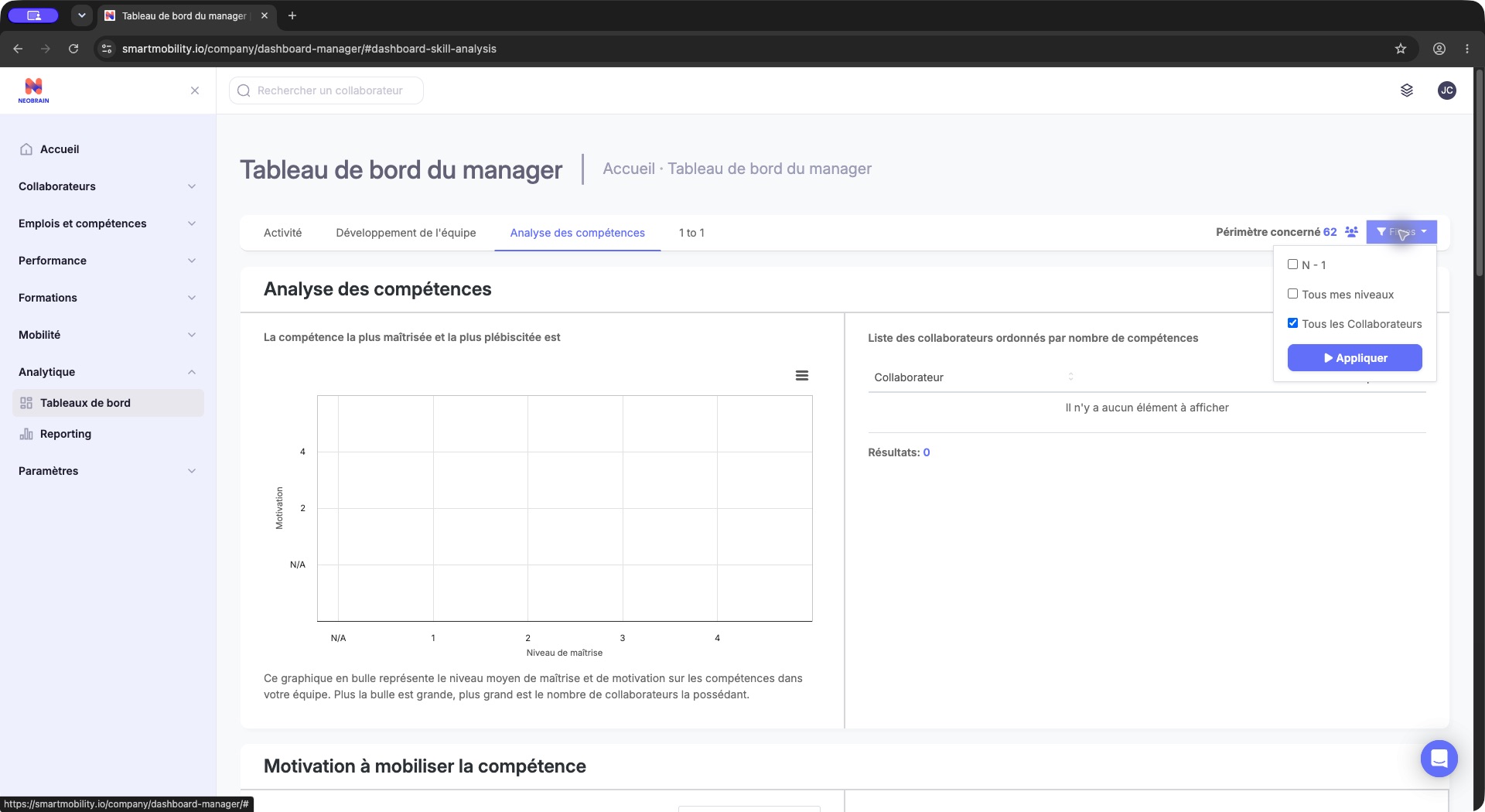
The open population menu sits above the Skills Analysis panel and shows the available scope choices and Apply. Review the selected population before applying; the empty chart below is not a measure of employee skill.
View selection does not change employee assignments, ratings or roles. The controller stores filter markers in the session, but page re-entry can restore a different selection. Observed in application: reopening the dashboard after the denied configuration page returned to N - 1; applying the company-wide filter restored 62 employees.
5. Prepare the source records
- Confirm employees are enabled and attached to the intended organizational scope.
- Check assigned jobs and their skill requirements in the Jobs & skills framework.
- Check employee skill mastery/motivation and their source in Skills Mapping. Several dashboard queries select only records whose source is null; test-derived records are not automatically interchangeable with those records.
- If login filtering is active, confirm representative users have logged in.
- For profile completion, check the configured completion actions and the actual profile content. The dashboard calculates completion through the profile service.
- For 1 to 1, prepare a published interview campaign whose start date has passed and whose population is eligible. Ended campaigns can remain in the selector.
- For skills-campaign reporting, enable the distinct campaign tab and prepare the corresponding self-declaration campaign data. This branch was not observed live.
Observed in application: a population of 62 produced a populated completion list but empty job/skill panels and an empty interview selector. Not verified: which data dependency caused each empty dataset. Do not activate more switches as a substitute for checking source records.
Scope, inheritance and activation behavior
Switch evaluation uses the authenticated user's company Setting, persisted feature values and tokenizer-based module access. Repository YAML provides initialization values; it is not a runtime guarantee. An absent switch value is not automatically supplied by reading that YAML. No parent-company inheritance rule for this dashboard was established.
Permission and organizational visibility are additional layers. The hierarchy tree is cached in the session for up to ten minutes and tied to the user; this is a hierarchy cache, not a guaranteed ten-minute refresh interval for every chart. Reloading a dashboard does not necessarily rebuild the tree immediately after an organizational change.
Validation, rollout and rollback
After authorized changes, verify the entry, tab list, individual chart elements and intended employee population. Exercise a representative populated chart, a record outside the intended scope, a zero-result search and a filtered export. For interviews, check publication/start date and campaign detail access separately. None of these privileged changes was performed for this update.
Record prior switch values and permissions before changing configuration. Restore those specific values to undo an unwanted display/access change, then validate again. Restoring a switch does not undo edits to job requirements, employee ratings or campaign records. Leave source data unchanged unless its owner has authorized the correction.
| Symptom | Configuration check |
|---|---|
| Configuration denied | Authorized configuration owner; dashboard-wide scope does not grant this access. |
| Page opens without useful tabs | Individual tab feature switches as well as manager_dashboard and navigation rights. |
| Tab loads but a panel is missing | Parent tab, element switch, code-supported builder and source data. |
| Nonzero population and empty skills | Login filter, source eligibility, jobs, ratings and translations. |
| Hierarchy recently changed | Correct attachments and visibility rules; allow the session tree cache to expire before concluding the calculation is wrong. |
| Interview selector empty | Published, started campaigns in scope; check interview_all and the separate detail switch as applicable. |
Legacy and redesigned behavior
This setup controls the legacy dashboard even when the navigation shell is modern. Nextgen role scopes and People Review dashboards have separate ownership. No replacement HR Dashboard or migration of these switches into a nextgen dashboard was established by the targeted source review. Coordinate shared navigation/role changes using the roles guide, then verify this feature directly.
Evidence and limitations
- Observed in application: 23 October 2026, Chrome, PS Testing 2026 as Jim Carter; manager dashboard, four tabs, two scope outcomes, empty campaign selector and denied company configuration. No company settings or source records were saved.
- Verified in code: legacy
config/configuration/{feature_module,default_permission}.yml;Company/ManagerDashboardBundle/{Services/Helper.php,Controller/DefaultController.php,Resources/views/Default/index.html.twig};Company/AccountBundle/Resources/views/Setting/module.html.twig;Security/FeatureSwitchVoter.phpandService/Configuration/FeatureSwitchService.php. - Inferred: the proposed rollout checklist is operational guidance, not a built-in validation wizard.
- Not verified: live administrator editor/save, effective values for every switch, other roles' populations, populated skill/campaign results and configuration rollback in the application.
Last updated on 3 November 2026